Introduction
dedupd /diːˈduːpt/, pronounced deduped.
One copy of each AI model on disk, shared by every app that runs it.
Ollama, Bionic and LM Studio, the MLX tools, llama.cpp and huggingface_hub clients each keep their own copy of a
model in their own folder. A model used by several apps is therefore stored several times.
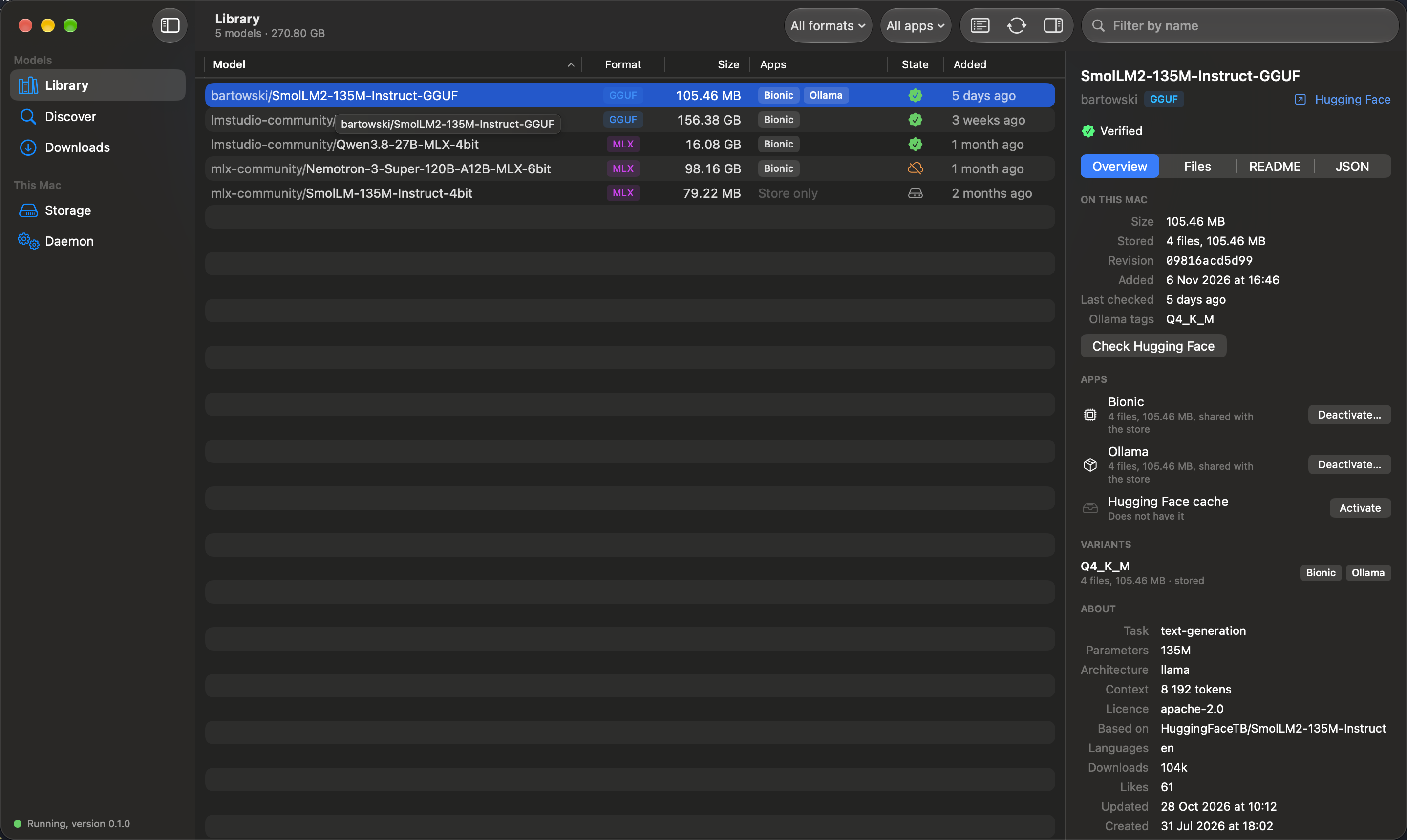
dedupd is a daemon that keeps each model file once, in a content-addressed store, and gives every app a clone of it. To the app a clone is an ordinary file in the expected place; on disk it shares its blocks with the stored file and takes no additional space. dedupd also acts as a local endpoint for Hugging Face tools and Ollama, and comes with a command line and a macOS app.
Features
- One download for every app.
dedupd pull org/repo:Q4_K_M --for ollama,bionicdownloads a model once and activates it in both apps as clones. - Adoption of existing models. Models the apps already hold are taken into the store without changing the apps' files. Duplicate copies are then replaced by clones, which frees their space.
- A store, not a cache. Downloaded models are kept and verified against their sha256. They remain available when Hugging Face is unreachable or a model is removed there.
- A local endpoint. Hugging Face tools and Ollama can download through the daemon, which answers from the store and fetches what it does not have.
- App profiles. For each app, dedupd knows which formats it takes, by which method and at what cost in disk space, and states this before a model is activated. See Apps and formats.
- An archive disk. Every stored file is also copied to a second disk. A single model can be archived off the internal disk and restored later.
- Explicit removal only. Cleaning up, deactivating and archiving list what they would remove and act only on confirmation.
Status
| Version | 0.1.0 |
| Platform | macOS 26 on Apple silicon |
| Apps | Ollama; Bionic and LM Studio; the Hugging Face cache (hf, huggingface_hub, mlx_lm, llama.cpp) |
| Model source | Hugging Face |
| Distribution | A notarised disk image of the app on the releases page; the command and the daemon are inside it. Or built from source |
| Planned | A catalogue of model families and editions, ModelScope as a second source, and Linux with NVIDIA GPUs. See the roadmap |
Requirements
- macOS 26 on Apple silicon.
- A file system with copy-on-write file cloning. On macOS this is APFS.
- The dedupd store and the applications' model directories on the same volume. A clone cannot span volumes.
dedupd does not substitute symbolic links, hard links or copies when cloning is unavailable.
Install
Download dedupd-<version>.dmg from the releases page, drag Dedupd to
Applications and open it. It runs in the menu bar. Install the background service with the dedupd command the
app carries, which copies itself to ~/.dedupd/bin and registers a launchd agent:
/Applications/Dedupd.app/Contents/Helpers/dedupd install
The Install button on the app's Daemon screen runs the same command; it has been tested only against a simulated agent so far. To build dedupd from source, see Development.
Documentation
- How it works: architecture, requirements, the store, clones, placement, the archive disk.
- The macOS app: the screens, with pictures.
- The command line: command reference and settings.
- Apps and formats: compatibility per application and format, cost in disk space, limitations.
- Development: building, testing and code layout.
- Roadmap: what is available and what is planned: the catalogue, ModelScope, Linux with NVIDIA GPUs.
Licence
dedupd is MIT licensed. Copyright © 2026 Descoped. The source is at github.com/descoped/dedupd.
dedupd is not affiliated with Hugging Face, Ollama, LM Studio or Apple. The models you download keep their own licences.